
Student Music Journeys
Feature Overview
Journeys are a new feature to serve students majoring in Music Education and Music Therapy. A Journey is a set of steps for each year of the program. Steps, in this context, are single actions the student takes to complete the Journey.
Access: The Journeys tab is available on your laptop at wcupa.navigate.eab.com (use your wcu credentials to log in) or from your Navigate App. on your mobile device.
EX: Music Therapy 1st year journey:
- First Year Summer clearances Required for MPT331 & MPT332
- Scripted Courses in Music Therapy
- Survey
- Resources
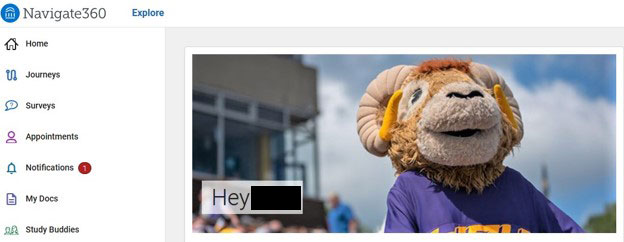
Click on the Journeys icon to view the Journey.
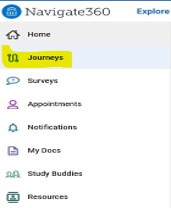
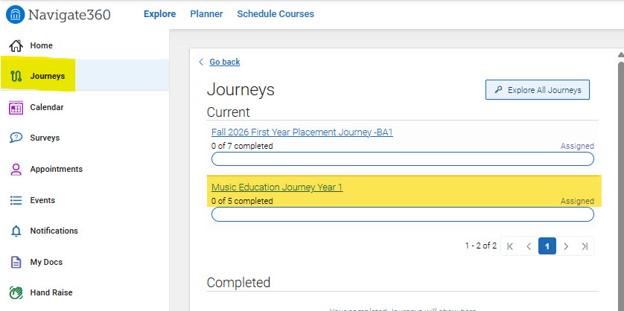
Click on the Music Journey title to view the various steps of the journey.
EX: First Year Journey
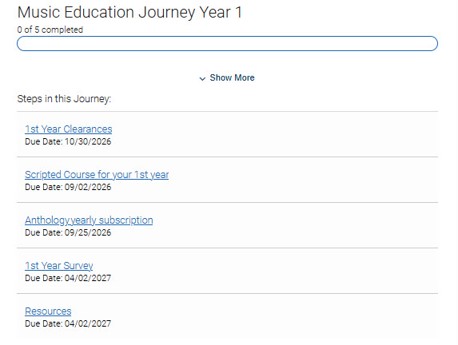
Click on every individual "step" of the journey to review the details associated with that step.
EX: 1st Year Clearances
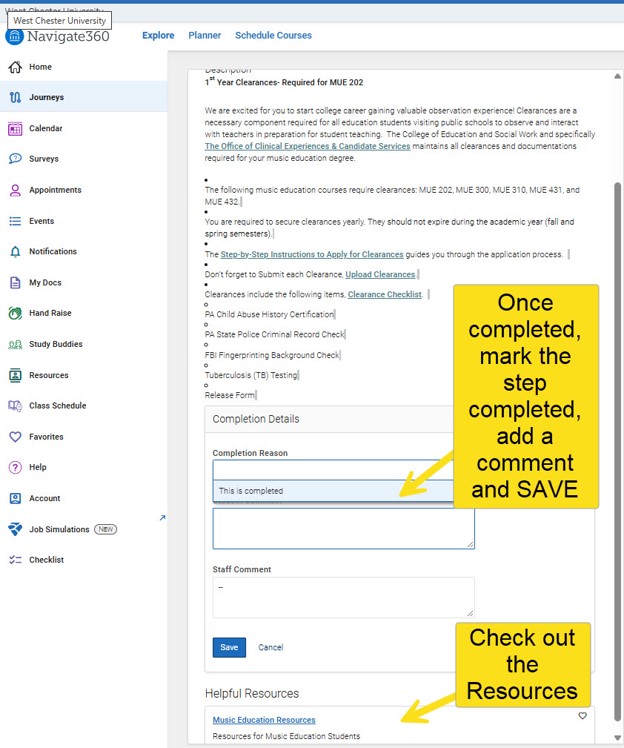
Resources:
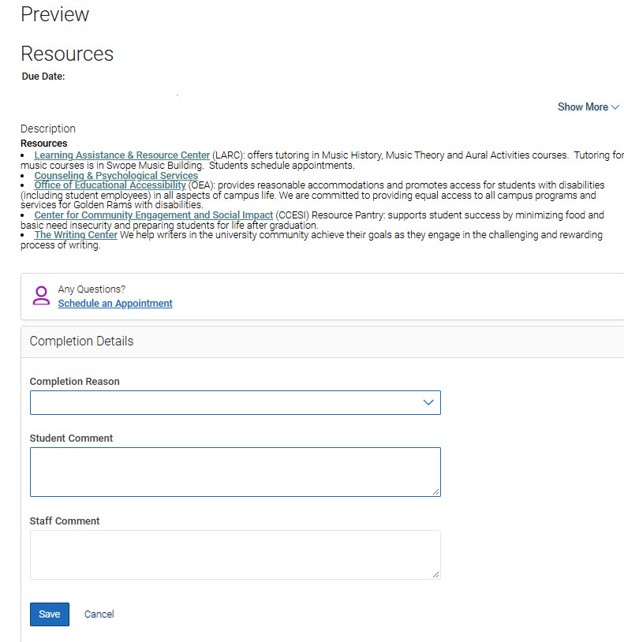
Completion Details Related to Staff:
- A staff user can open a journey step and go to Completion Details.
- They can see existing Completion Reasons and Student Comments, if those exist.
- They can change the Completion Reason, which effectively marks the Journey step as completed.
- They can add a Staff Comment.
- The Staff Comment and Completion Reason are visible to the student in Navigate360 Student when the student opens that Journey
item from either:
- Journeys, or
- Checklist.
- Staff can also select multiple steps within the same Journey and use Update Completion Status.
- If multiple steps are selected, the chosen Completion Reason and Staff Comment are applied to all selected steps.